
Cash Posting - Adjustment
Cash Posting in xRMS allows you to make an adjustment to an open invoice for a customer. This article walks through selecting the invoice, adding an adjustment, entering the adjustment type and amount, and posting the change.
Adjustment
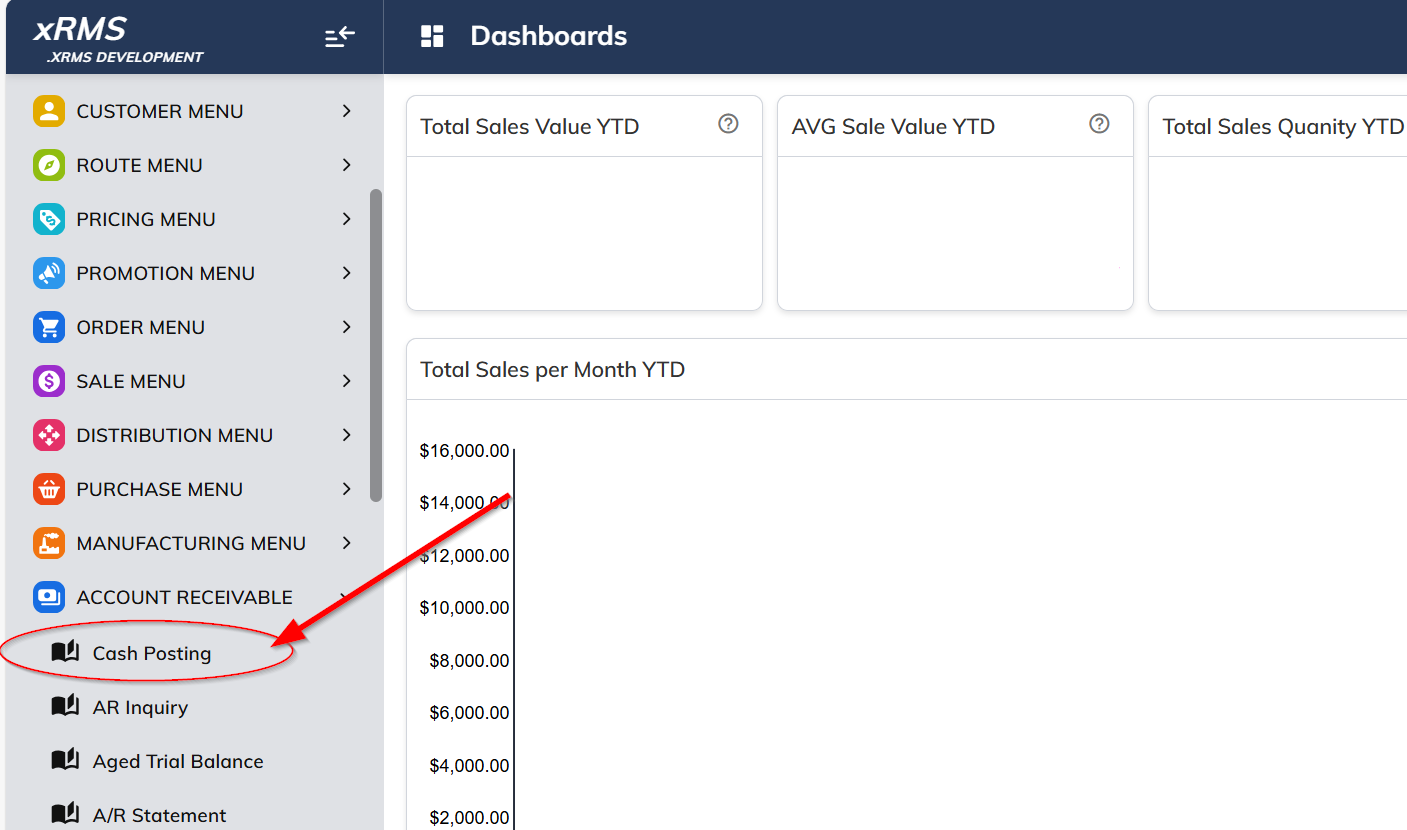
Select the Cash Posting link under the Accounts Receivable menu option.
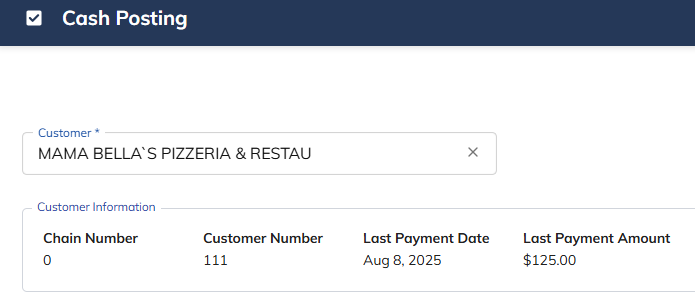
Enter the Customer and Chain number.
Select the Pencil icon
 on the invoice line you need to make an adjustment to.
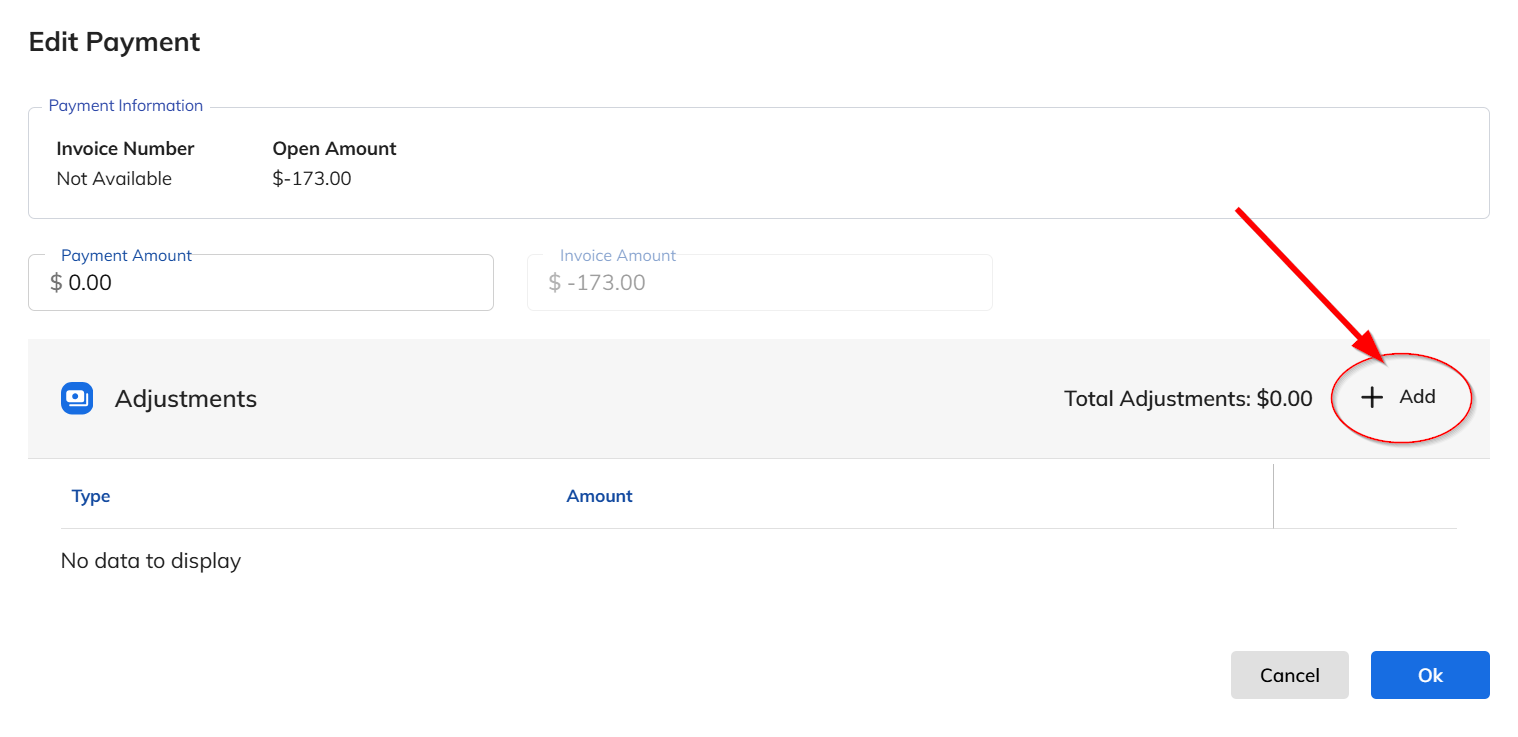
Select the + Add button next to Adjustments.
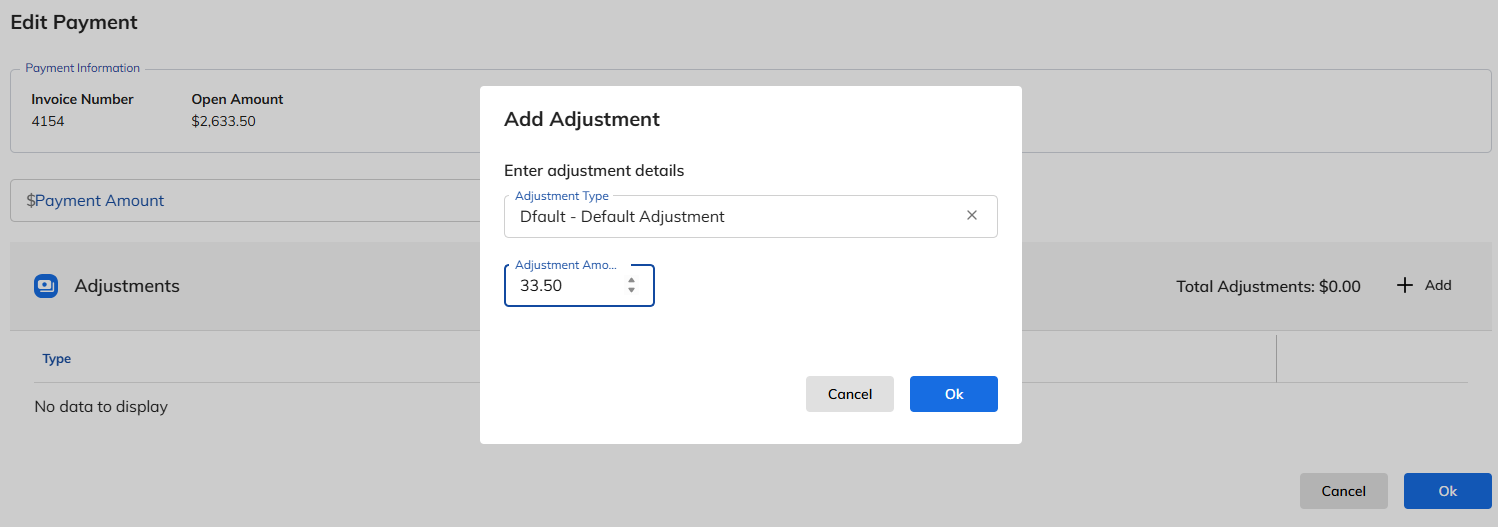
Select the Adjustment Type.
Enter the Adjustment Amount.
Select Ok to continue and the following screen will appear.
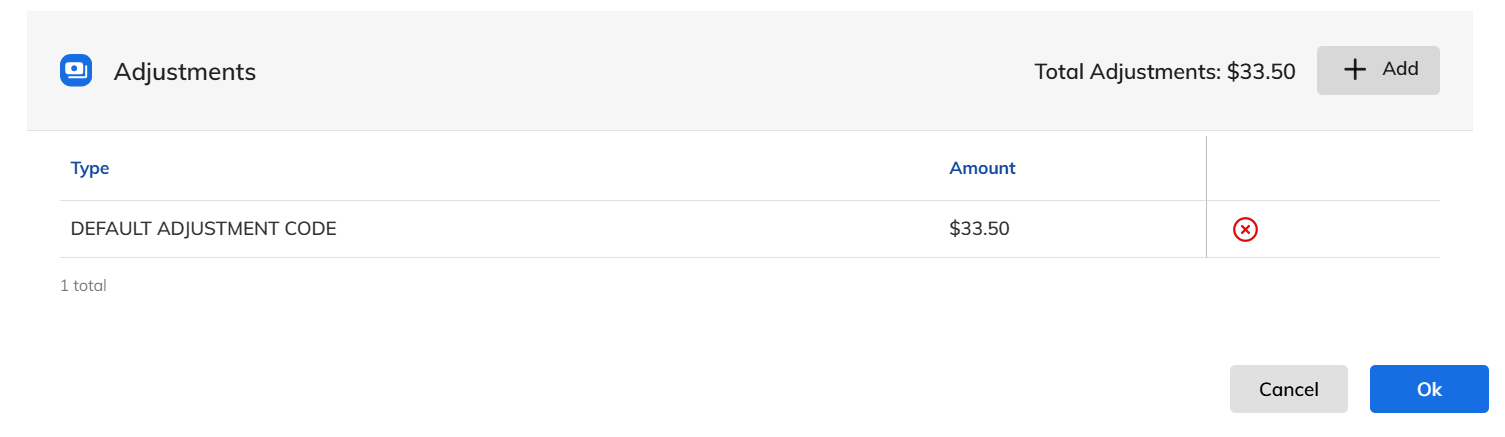
Select Ok again.
The following screen will display showing the adjustment on the invoice:

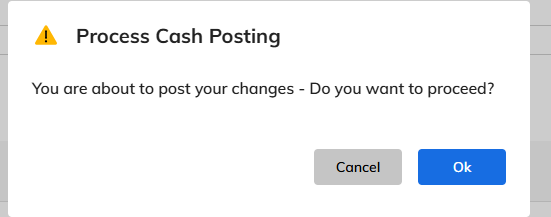
Select Post.
The following question will appear; select Ok.
The Adjustment has now been applied to the open invoice. The final screen will look like the following:
