Print Bill of Lading
This article shows how to print Bills of Lading in xRMS. The report can be run by load or delivery date and refined by distribution center, route, customer, or order, with options to reprint or print for handheld.
Print Bill of Lading
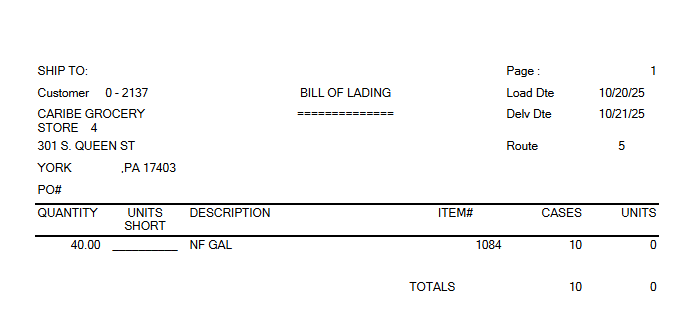
Select the Print Bill of Lading link under the Order Menu menu option.
Select the Date Type — choose one of the following:
"1" - Load Date
"2" - Delivery Date
Select a date (MMDDYYYY).
Select how to update — choose one of the following:
"1" – Distribution Centers
"2" – Route
"3" – Customer
"4" – Order
Select From Item Type.
Select To Item Type.
Reprint (Y/N).
Print Handheld (Y/N).
Make a selection based on the criteria above: Include All, Select Individual, or Exclude All.
Once these selection criteria have been entered, the number of Bills of Lading to print or reprint is displayed.
Select Process to print the Bill of Lading.
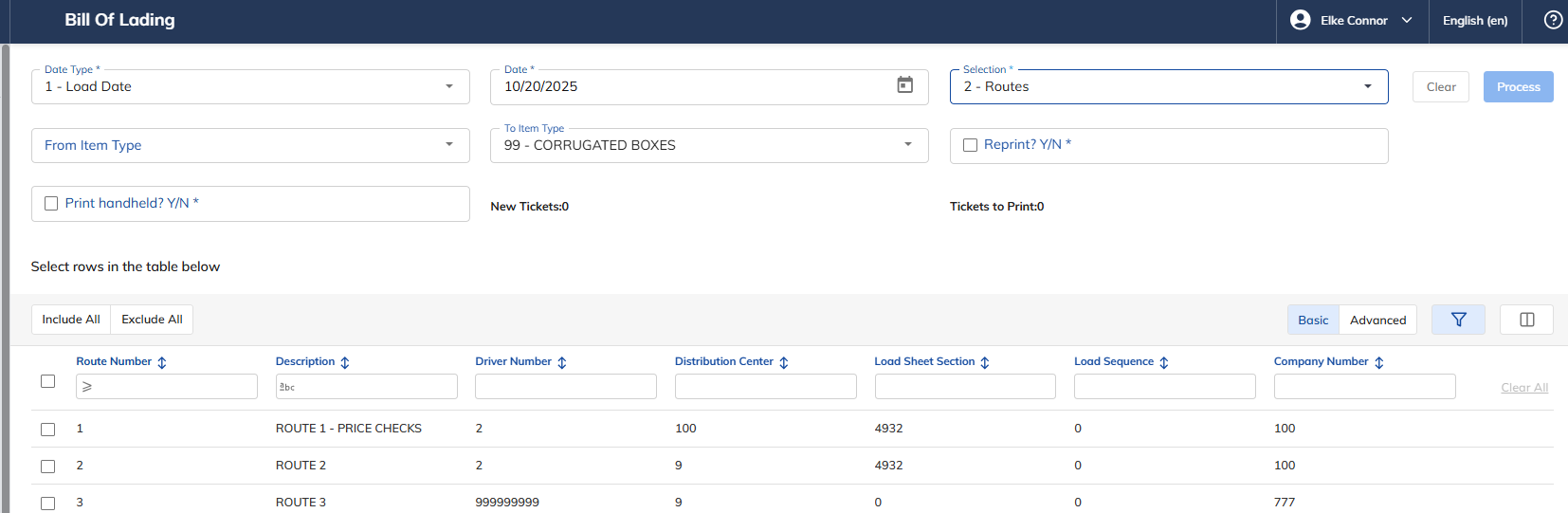
Once Process has been selected, the following Bill of Lading will print.