
Print Route Settlement
The Route Settlement gives an overview of a Load Day/Date for a particular route, showing all transactions — such as open inventory, loads, load adjustments, good returns, dumps, closing inventory, sales, and any differences. The objective of the route settlement is for there to be no item differences, hence the term route settlement. When there are no differences, all items on the route have been accounted for and the route is considered settled.
Route Settlement
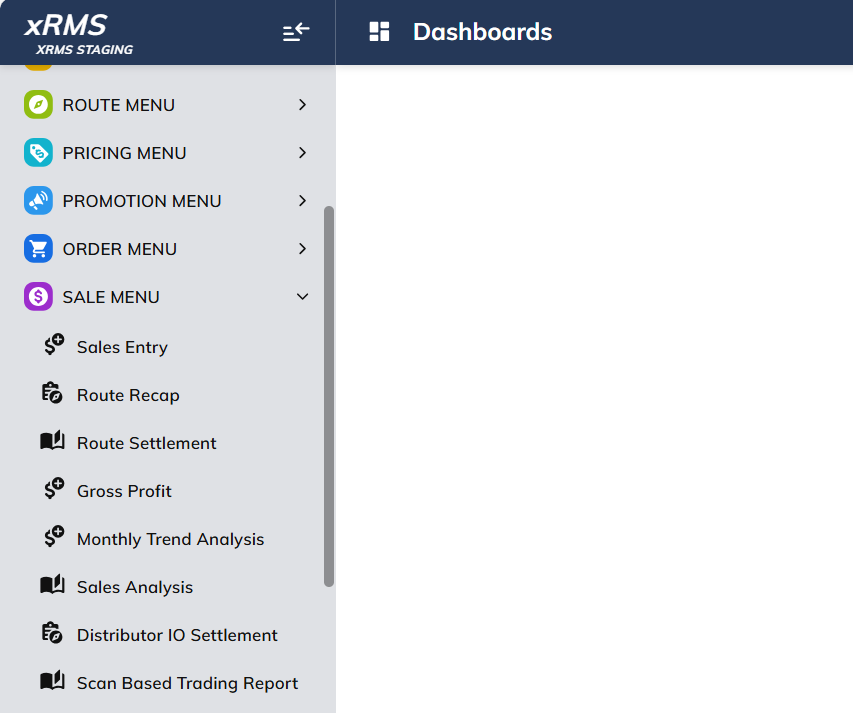
Select the Route Settlement hyperlink under the Sale Menu menu option.
The following screen will display:
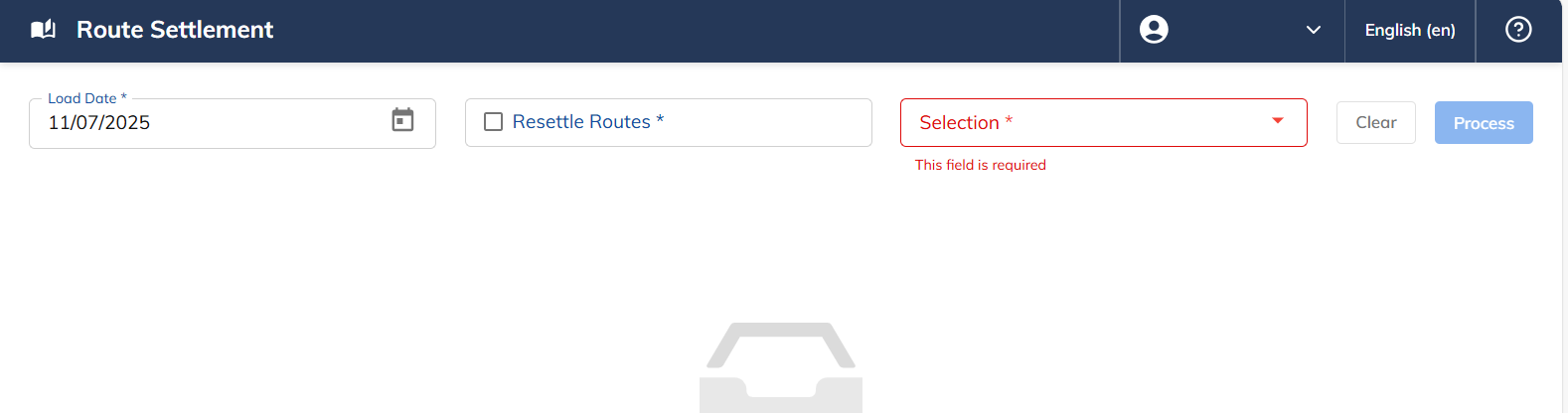
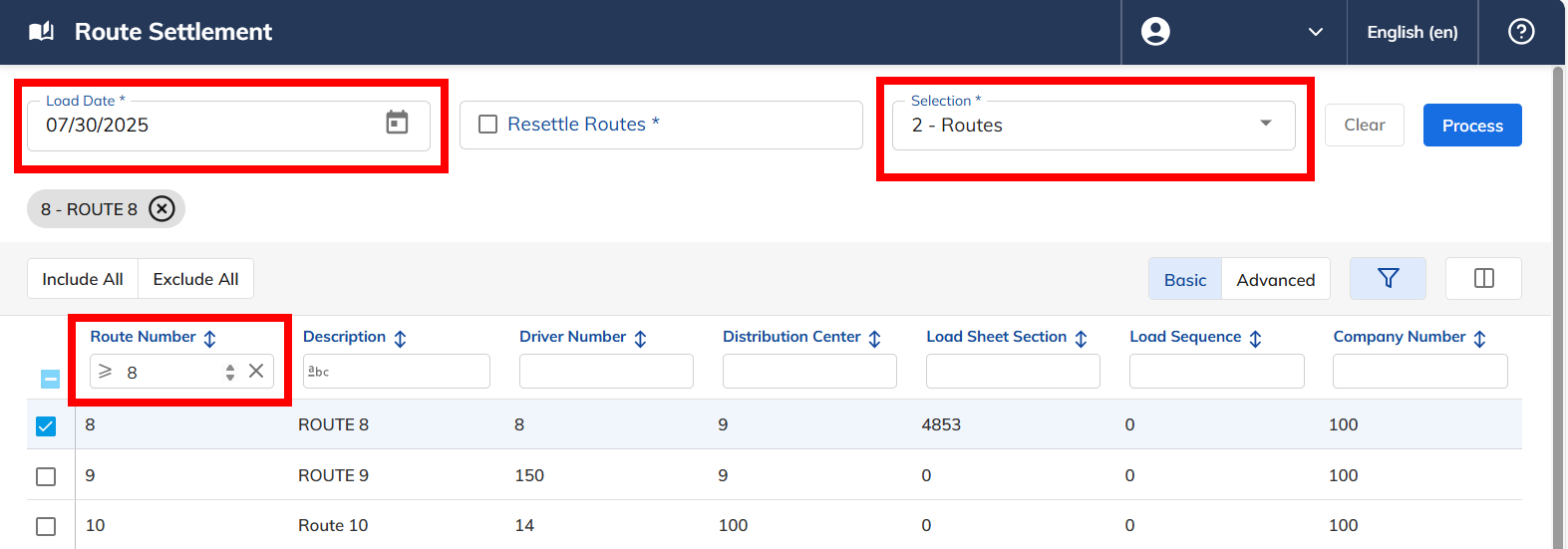
Enter the Load Date.
Enter Selection: Routes or Distribution Center.
Select Process.
Optional: Select Resettle Route. Check = Yes.
The following screen will display once Process has been selected:
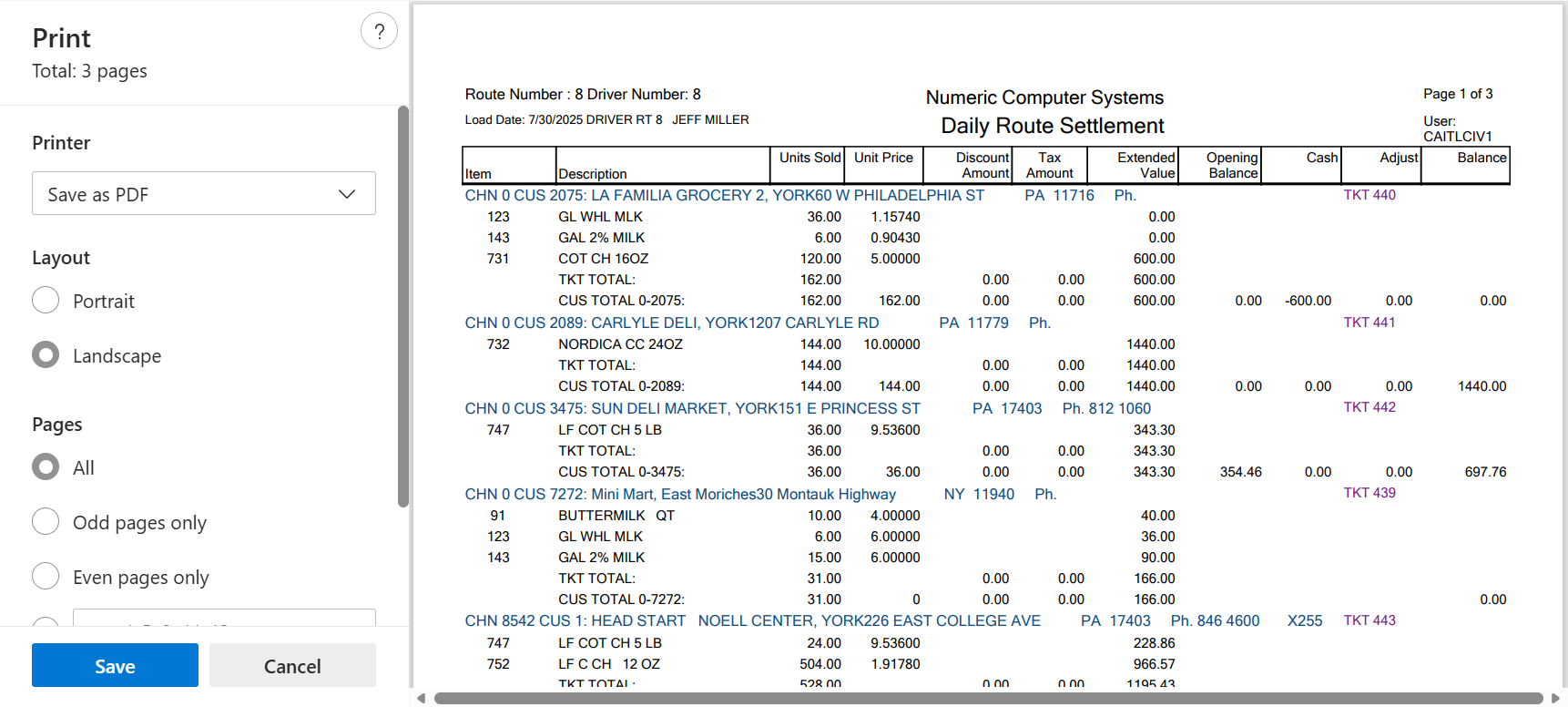
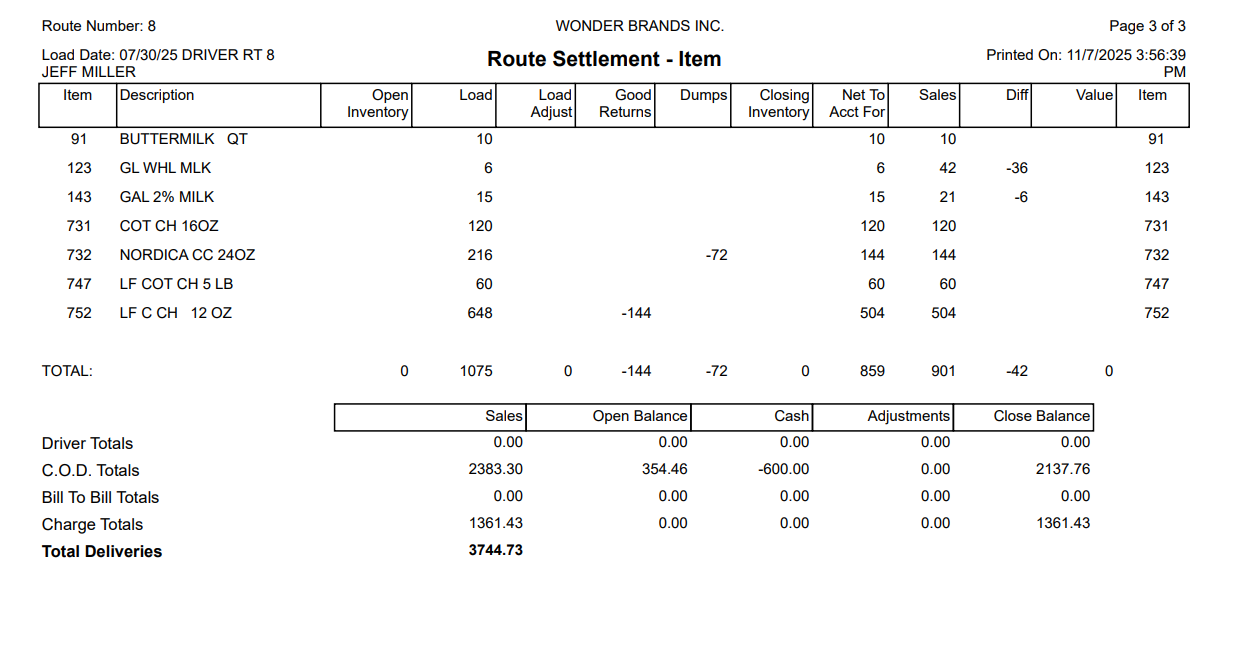
The pop-up should include the following:
Daily Route Settlement
RTE TOT CASH
RTE TOT CRD
ROUTE TOTALS
Route Settlement - Item