
Standing Orders Create Convert
This article describes how to create and convert Standing Orders in xRMS. A Standing Order simplifies the Order Entry process for customers who continually have the same order for one or more days of the week, and it is later converted into a pre-order for delivery.
Create Standing Orders
The purpose of creating Standing Orders is to simplify the Order Entry process for customers who continually have the same order for a day or multiple days of the week.
Select the Order Entry link under the Order Entry menu option.
Enter the Standing Order Chain and/or Customer number to create a standing order for.
Select the delivery day(s) of the week to enter the Standing Order for. In the example below, Monday, Wednesday, and Friday were selected.
Select Proceed once days have been selected.
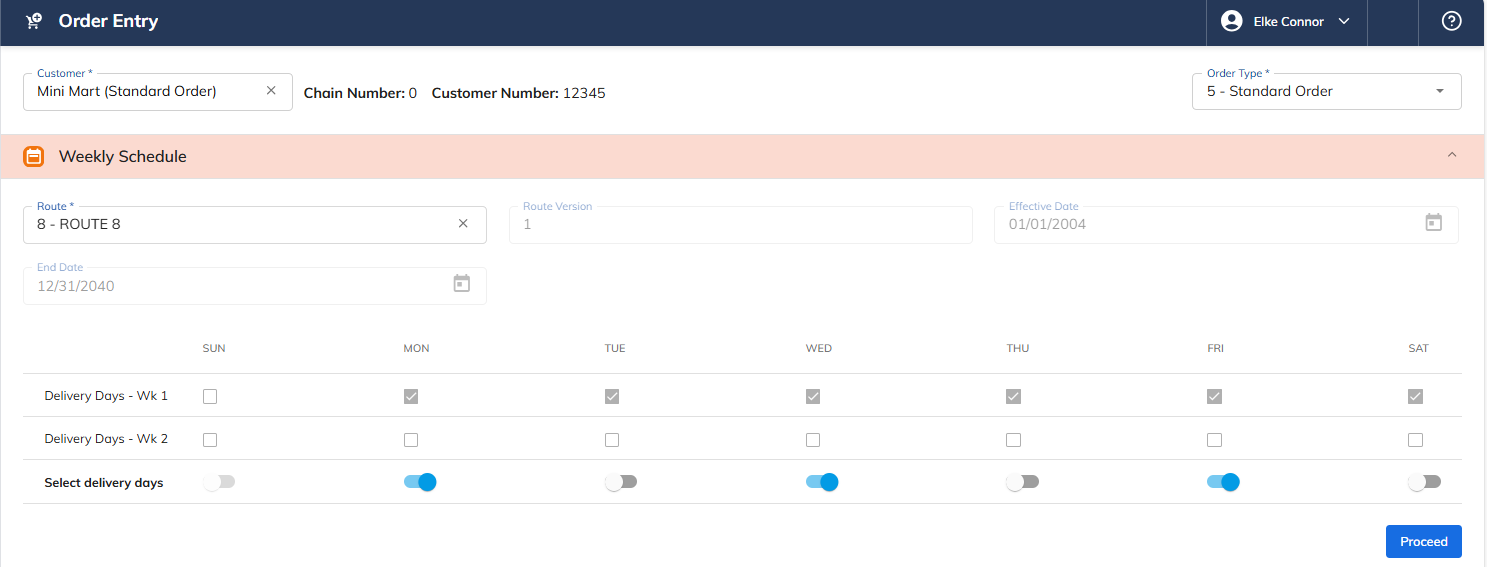
Select Proceed.
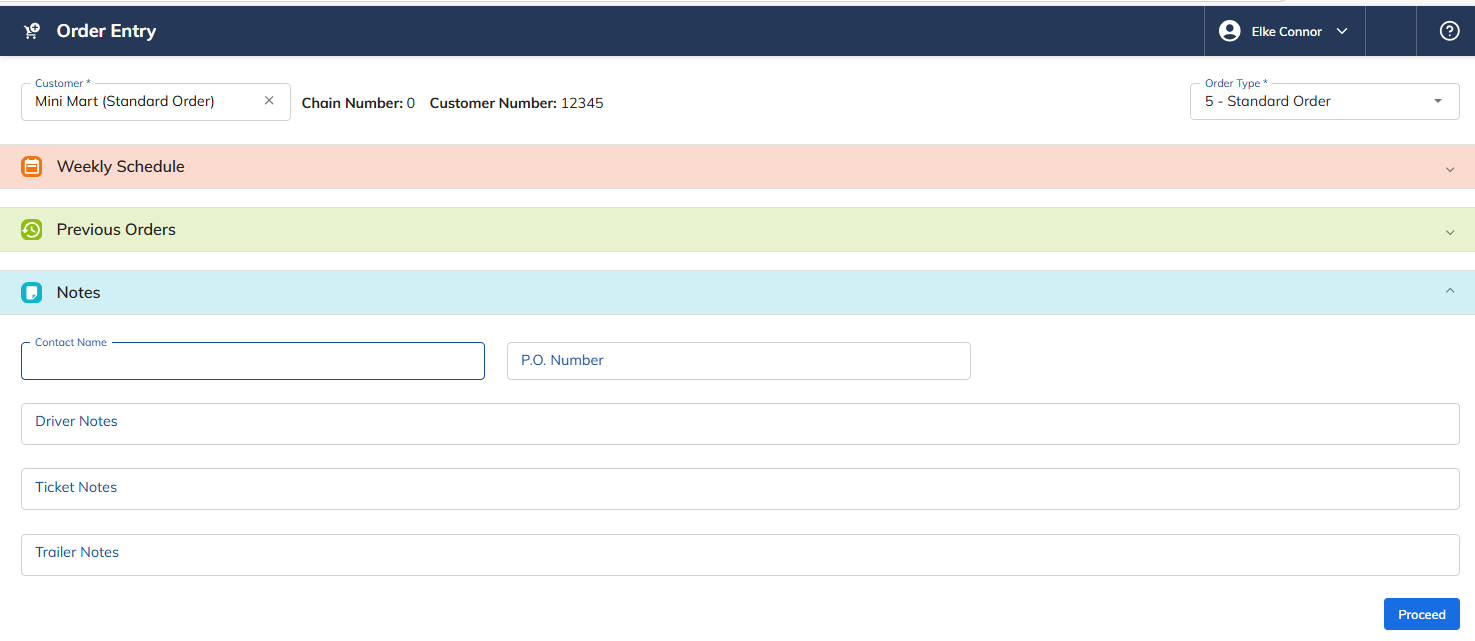
Enter the Item and Quantity for the Standing Order, pressing Add after each item.
Once the Standing Order has been entered, press Save.
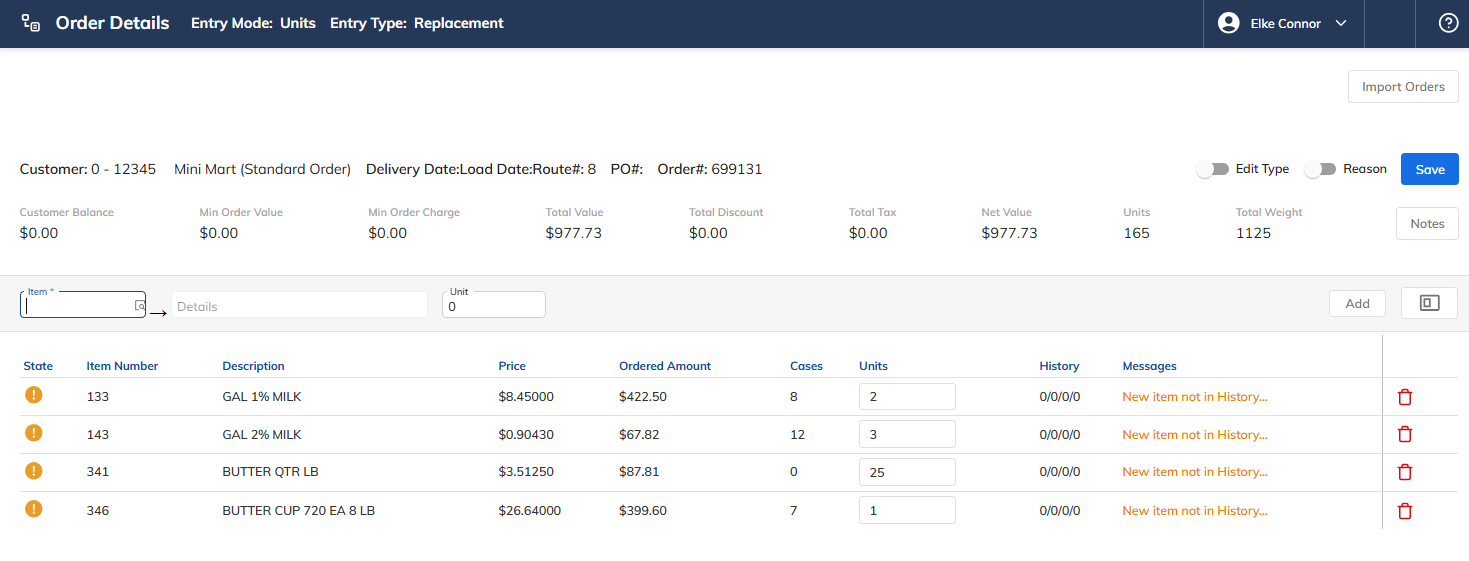
The Standing Order record is now created for Monday, Wednesday, and Friday.

Convert Standing Orders
Once the standing order has been entered and the delivery date is approaching, the standing order needs to be converted using the Convert Standing Order program. This converts the standing order into a pre-order, allowing the user to change the order if necessary, update the load, and print the delivery ticket.
Select the Convert Standing Orders link under the Order Entry menu option.
Select the Delivery Date to Process.
Select the Load Date Override.
Select the Delivery Date Override.
Select the Customer selection — choose one of the following:
1 – Customer
2 – Route
3 – Distribution Center
4 – Company
In the example below, Customer 12345 was selected.
Select Process.
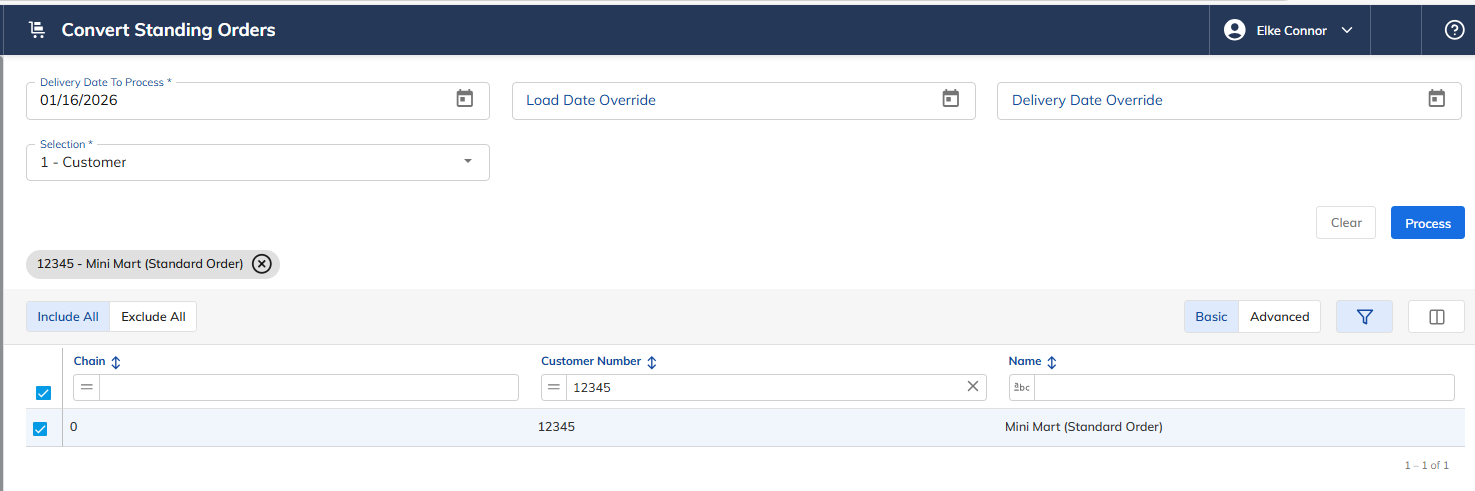
The convert program displays the Convert Standing Order Results.

The converted order(s) can now be found in Order Entry under Previous Orders. The order can now be modified and/or the load can be updated and the delivery ticket printed so the order can be delivered.
