Print Delivery Return Ticket - Amalgamated
This article shows how to print Delivery (ADL) and Return Tickets in xRMS. It covers the required customer option, running the print job by load or delivery date, and the resulting Delivery Ticket and Return Ticket output.
Print Delivery Tickets – ADL – Return Ticket
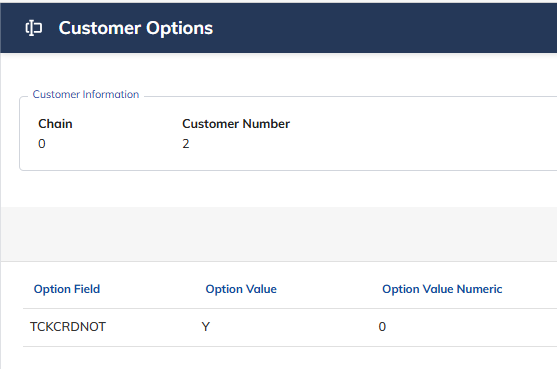
Option "CS" "TCKCRDNOT" must be defined in the Customer File under Customer Options.
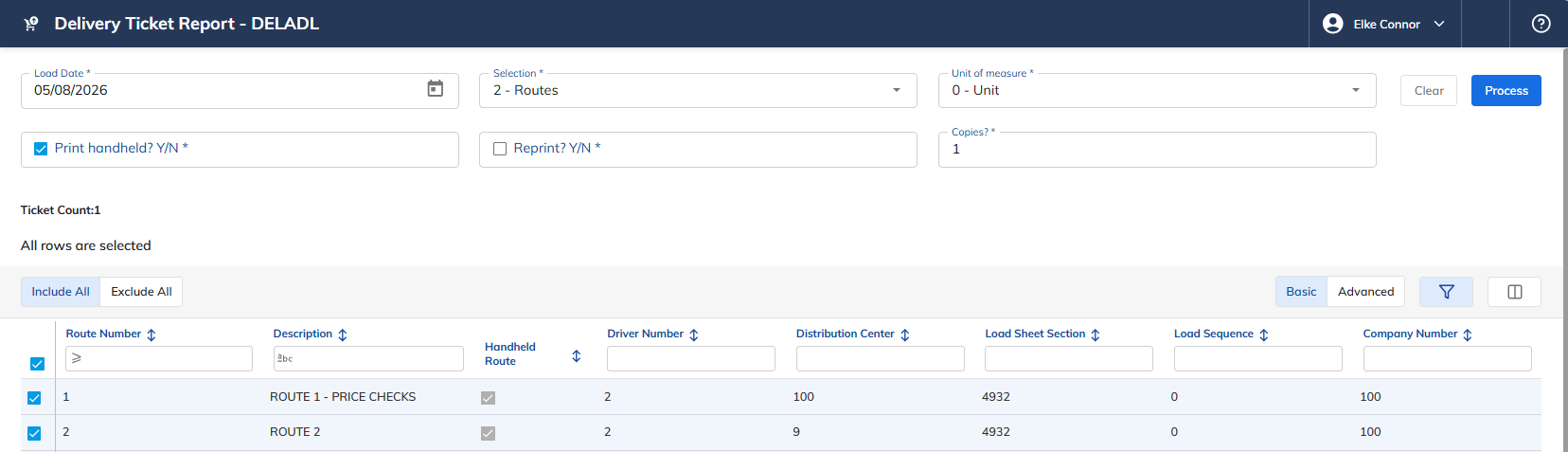
Select the Print Delivery Tickets ADL link under the Order Menu menu option.
Select the Date Type — choose one of the following:
"1" - Load Date
"2" - Delivery Date
Select how to update — choose one of the following:
"1" – Distribution Centers
"2" – Route
"3" – Customer
"4" – Order
Select Unit of Measure — choose one of the following:
"0" – Unit
"2" – Case
Print Handheld (Y/N).
Reprint (Y/N).
Print Copies — enter the number of delivery ticket copies to print.
Make a selection based on the criteria above: Include All, Select Individual, or Exclude All.
Once these selection criteria have been entered, the number of tickets to print or reprint is displayed.
Select Process to print the ADL Delivery Ticket and Return Ticket.
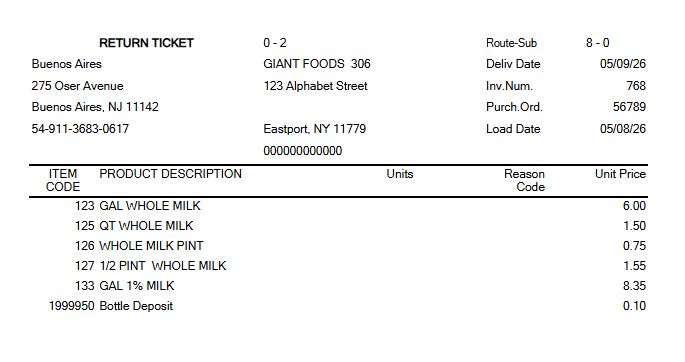
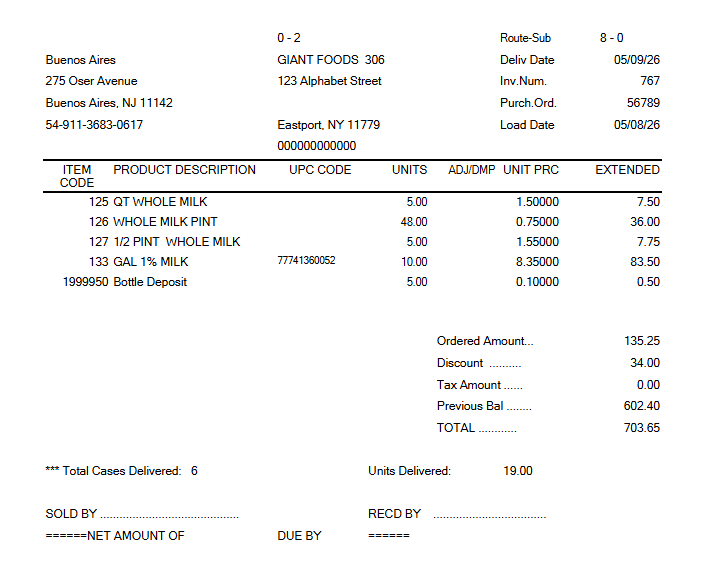
Once Process has been selected, the following Delivery Ticket and Return Ticket will print.
Delivery Ticket ADL
Return Ticket