
Cash Posting - Full Payment
Cash Posting in xRMS allows you to apply a full payment against a customer's open invoice. This article walks through selecting the customer, entering the check number and amount, applying the payment to the invoice, and posting it so the invoice is closed.
Adding Full Payment
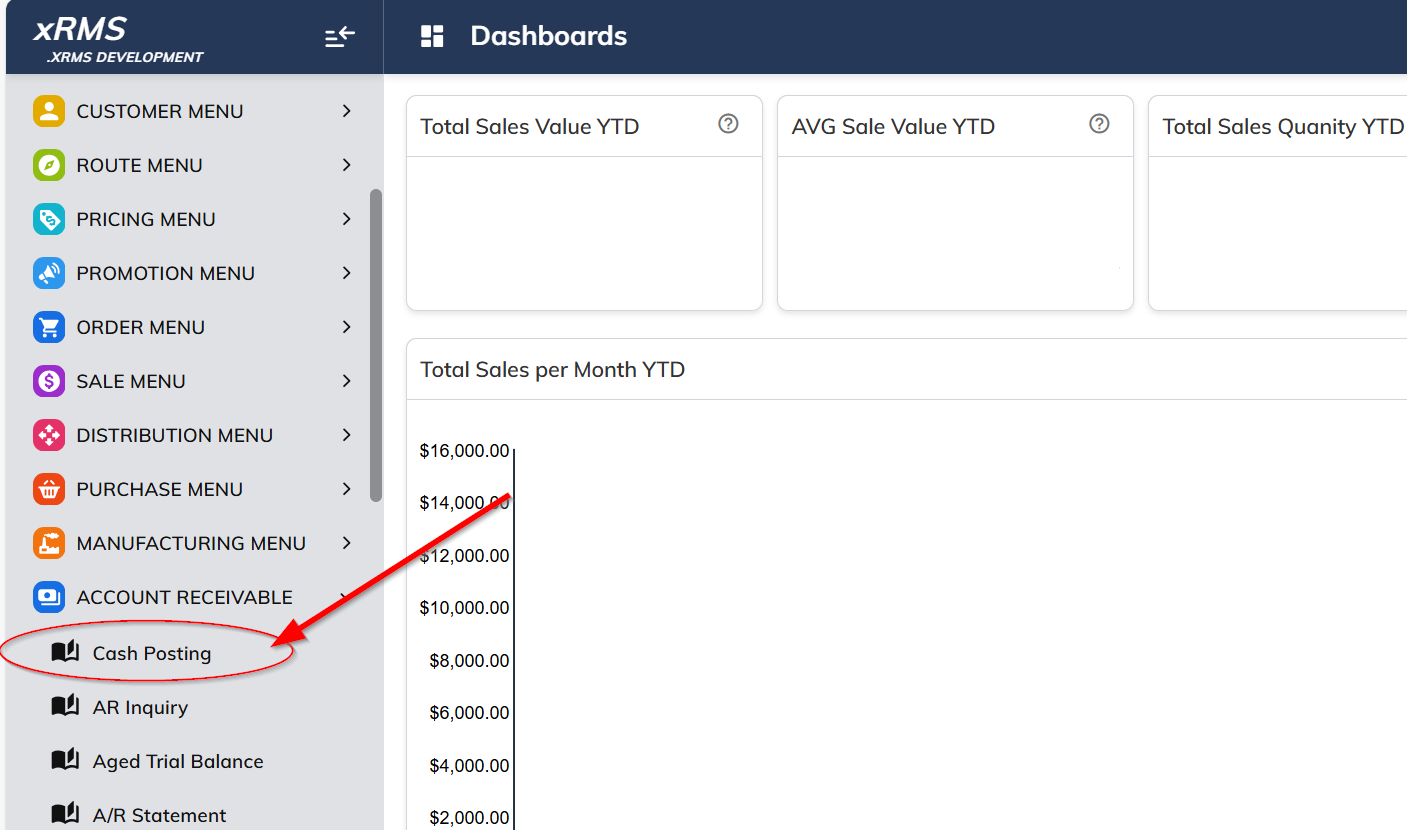
Select the Cash Posting link under the Accounts Receivable menu option.
Enter the Customer and Chain number to apply the payment.
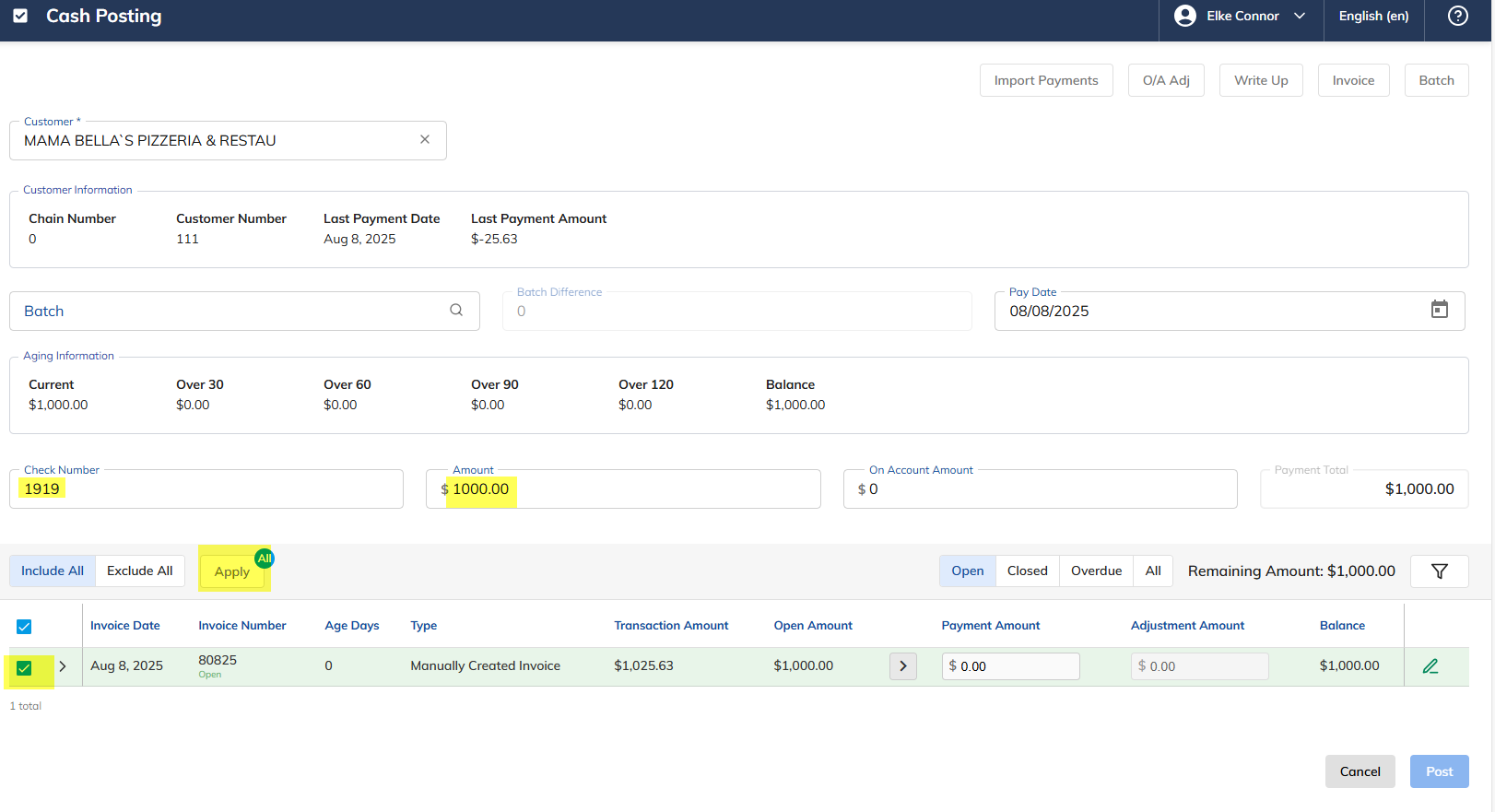
Enter the Check Number.
Enter the Amount.
Click the Check Box
 to select the Invoice to pay.
Click Apply.
The following action will appear:
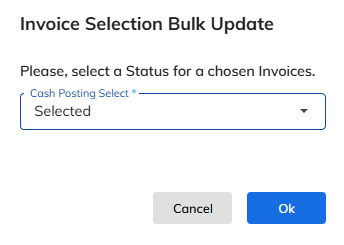
The default is Selected; click Ok to continue.
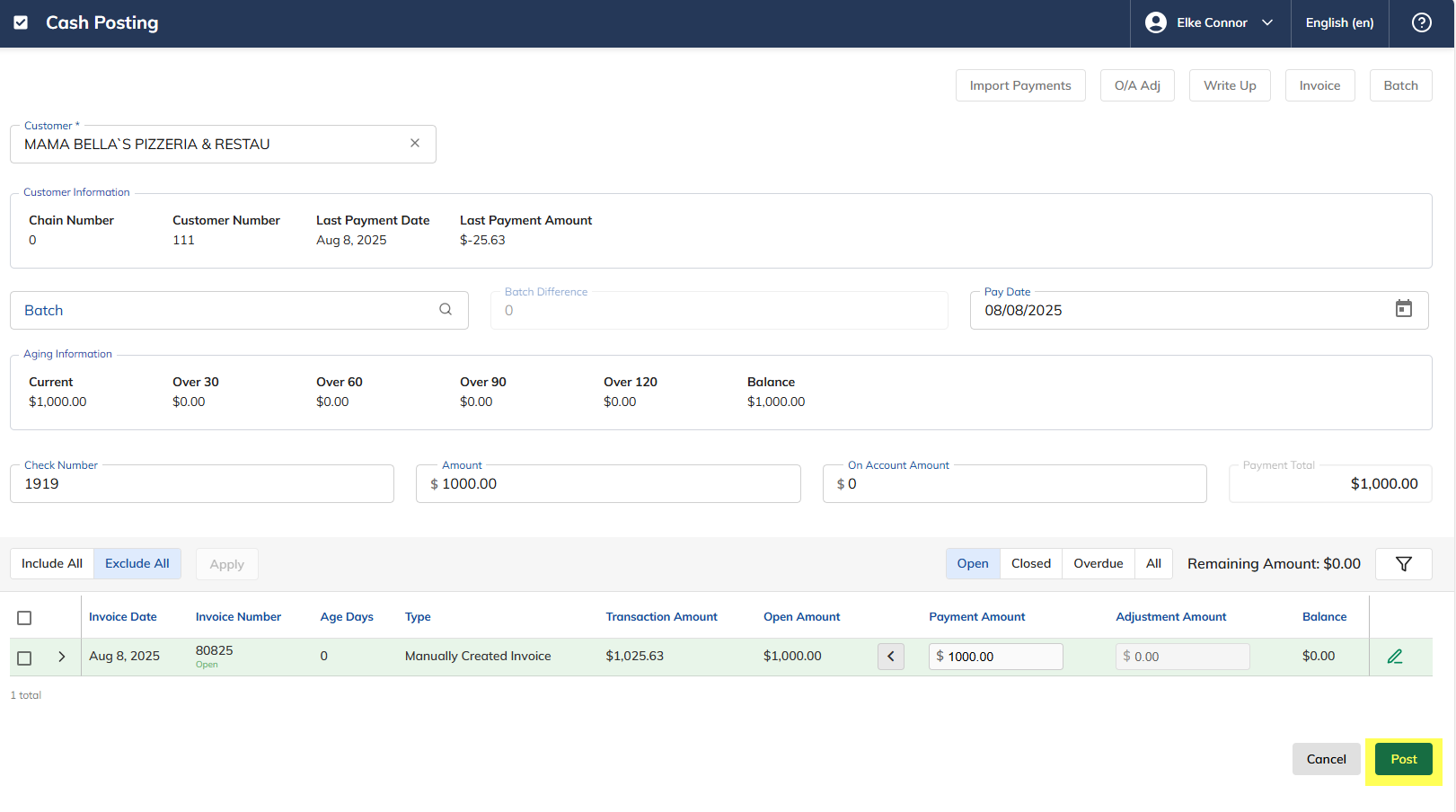
Notice that the open Amount is now $0.00 and the Payment Amount is the full amount of $1,000.
Click Post to apply the payment.
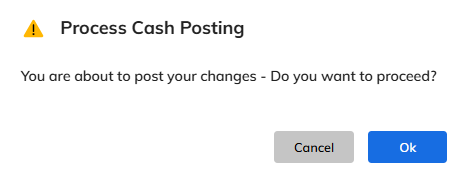
The following action will appear. Click Ok.
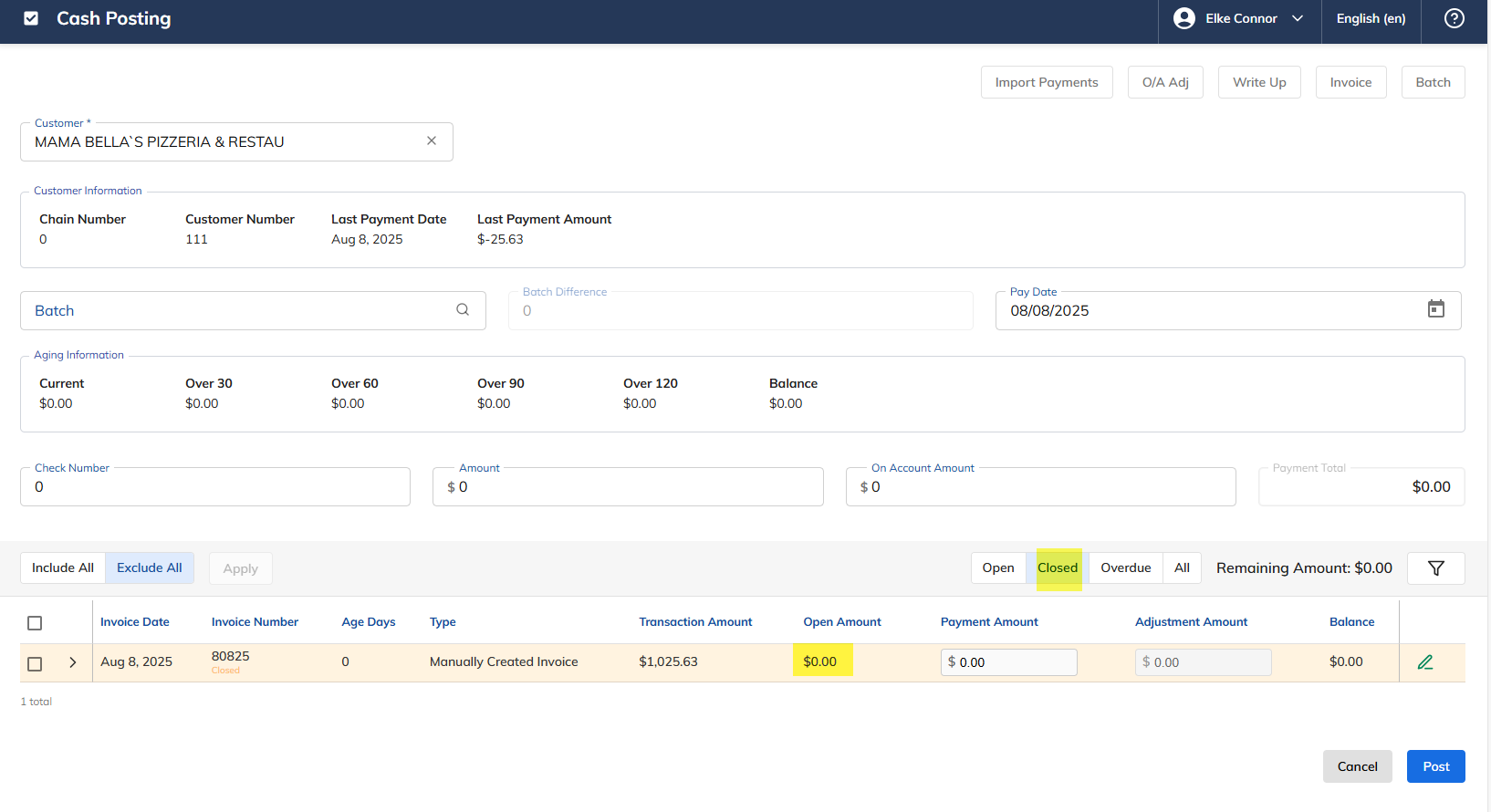
The invoice will now appear under Closed.