PDS Discount
This article shows how to set up PDS Discounts in xRMS. It covers the required code setup, enabling a percent-off discount on the customer, allowing the discount on individual DC items, and how the discount is applied (or not) during Order Entry and on the delivery ticket.
Code Setup Requirements
The following are the code setup requirements:
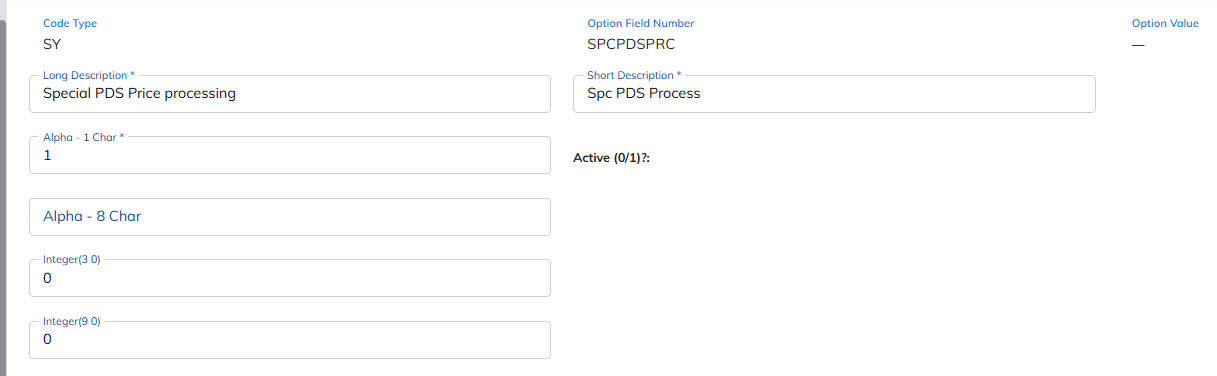
SY SPCPDSPRC
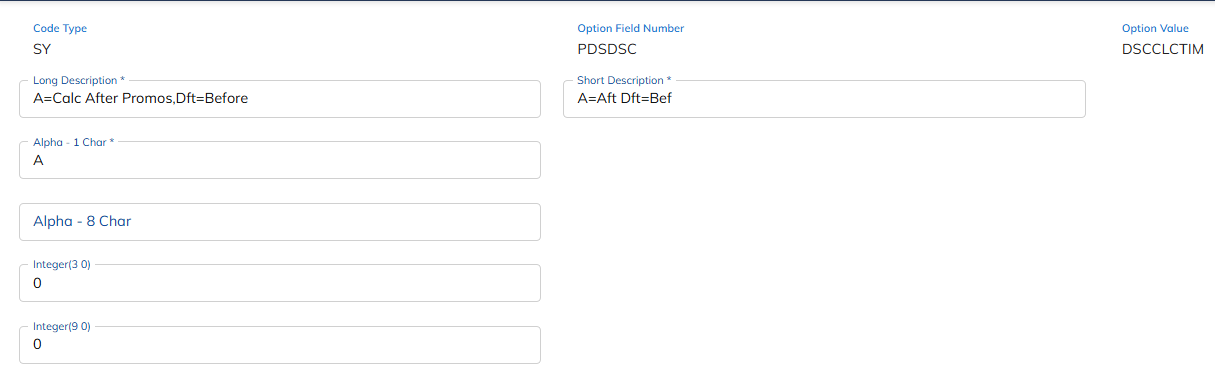
SY PDSDSC DSCCLCTM
Customer File Maintenance – Set the Discount
Select the Customer File Maintenance link under the Customer Menu menu option.
Enter the Chain and/or Customer Number to receive the discount.
Select the Pricing tab.
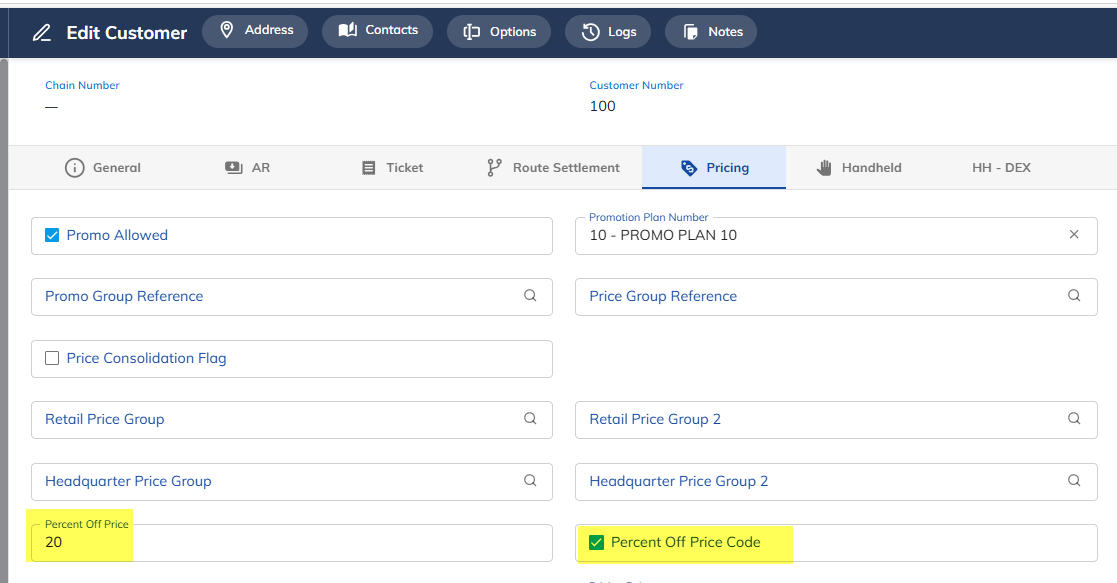
Enter the discount amount in the Percent Off Price field.
Select the field Percent Off Price Code by checking the radio button.
Press Save.
Customer File Maintenance – Customer 100 – Price Tab
DC Item Maintenance – Allow the Discount on Items
Select the DC Item Maintenance link under the Item Menu menu option.
Select the DC the Customer belongs to.
Select the item(s) that the discount is allowed to be given on.
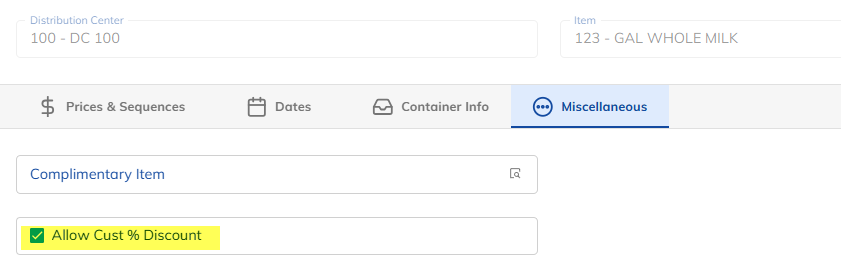
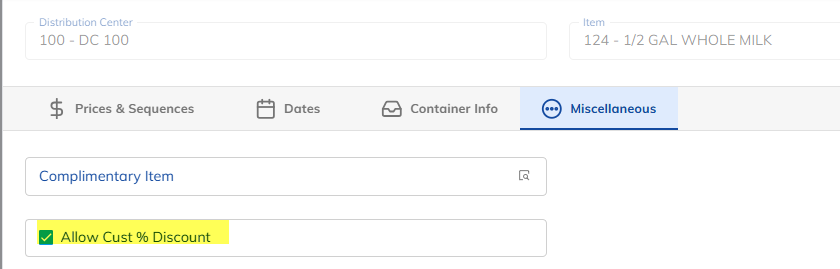
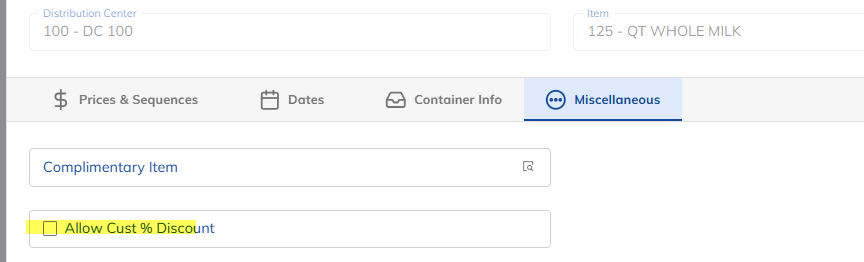
Select the field Allow Cust % Discount by checking the radio button.
Press Save.
DC Item File Maintenance – DC 100, Item 123
DC Item File Maintenance – DC 100, Item 124
DC Item File Maintenance – DC 100, Item 125 — NO DISCOUNT
Order Entry
Enter the Chain and/or Customer Number to place an order for.
Enter an order using the discounted and non-discounted items.
Press Save once the order has been entered.
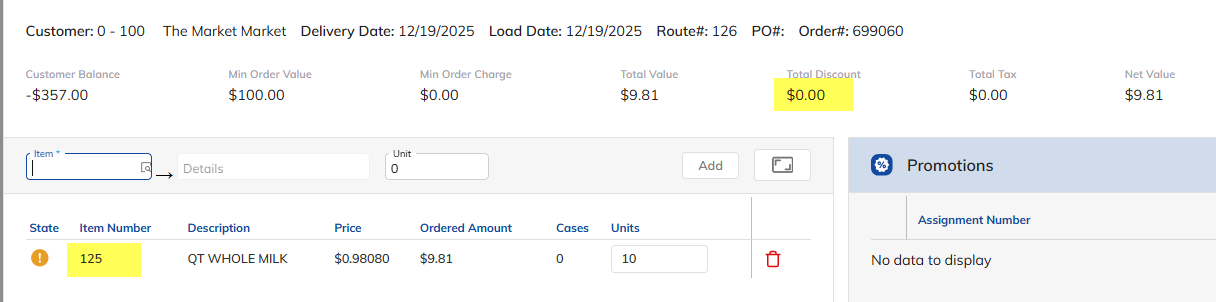
Order Entry – Customer 100
Entered an order for item 125. Customer 100 has NO discount for this item; therefore, the discount does not populate.
Entered an order for item 123. Customer 100 has a discount of 20%.
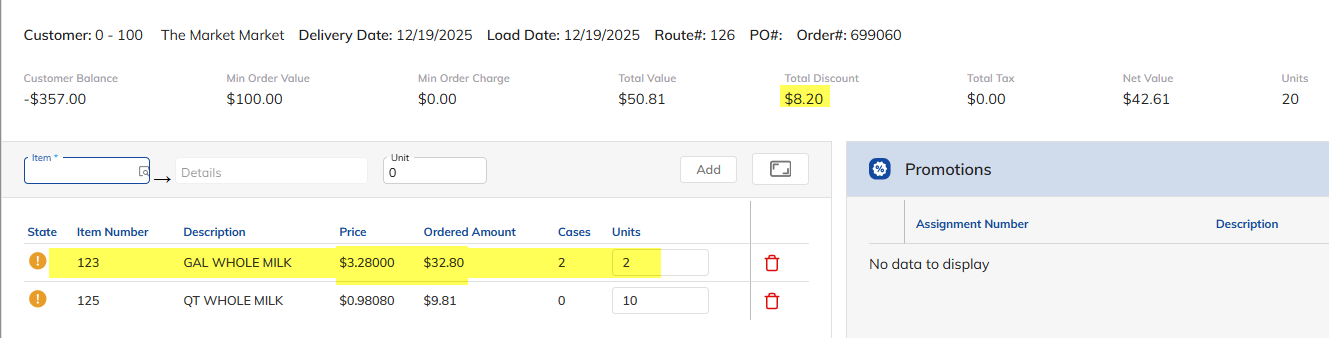
Item 123 has a price of $4.10 per unit in Price Group Maintenance; therefore, the discounted price per unit is $3.28.
Entered an order for item 124. Customer 100 has a discount of 20% off.
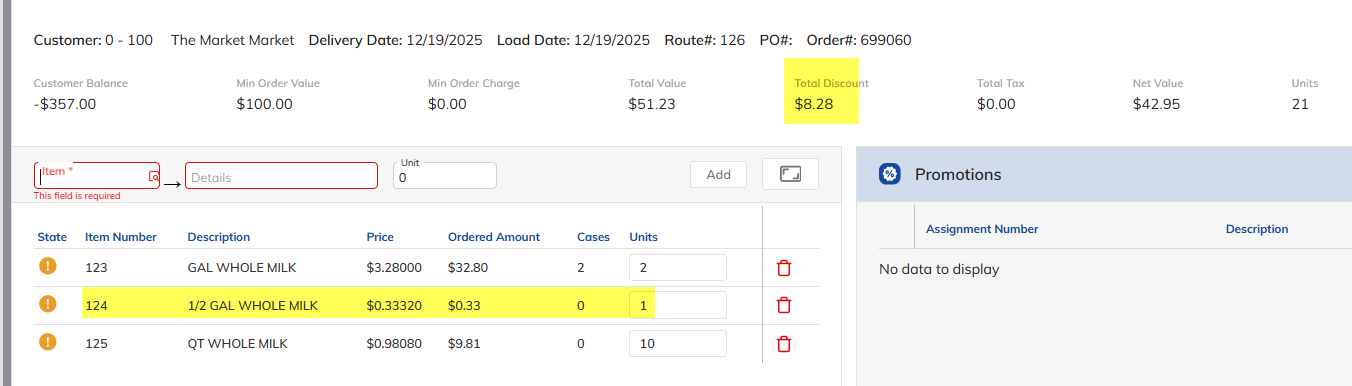
Item 124 has a price of $0.4165 per unit in Price Group Maintenance; therefore, the discounted price per unit is $0.33.
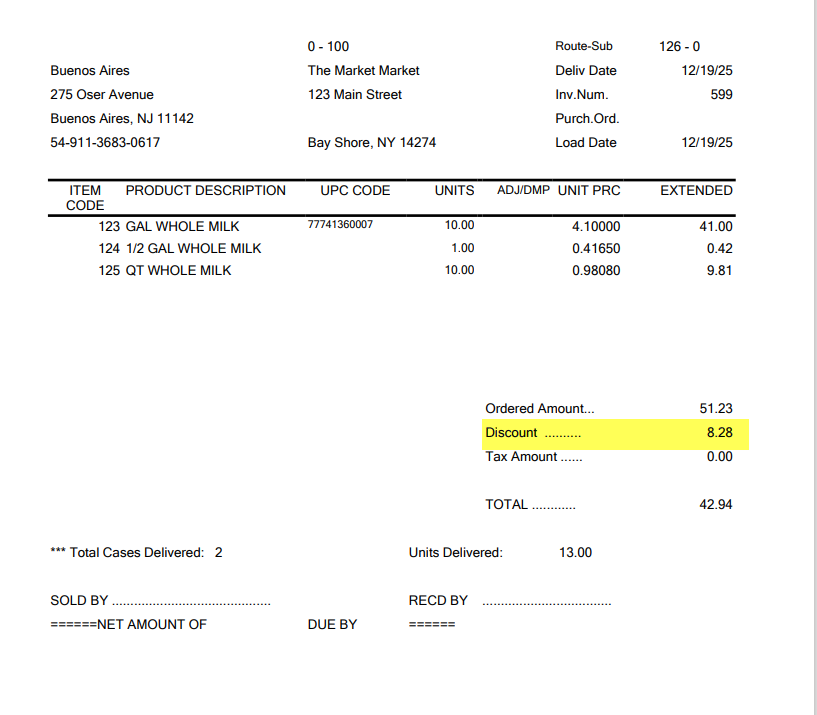
Print Delivery Ticket