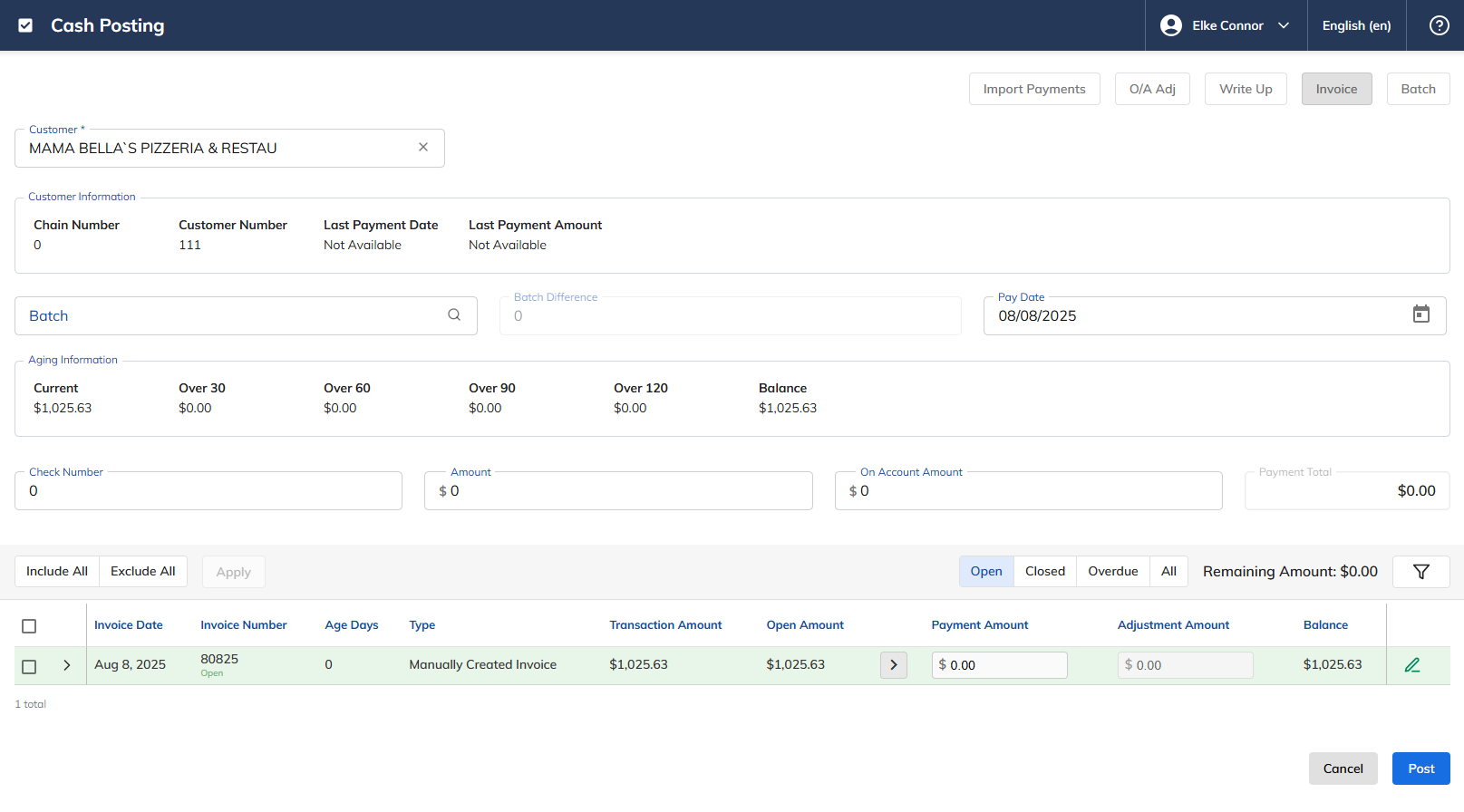
Cash Posting - Manually Created Invoice
Cash Posting in xRMS allows you to manually create an invoice for a customer — for example, to record a starting balance or an amount owed that did not originate from a standard order. This article walks through creating a Manually Created Invoice from the Cash Posting screen, including entering the invoice number, amount, date, and description.
Creating a Manually Created Invoice
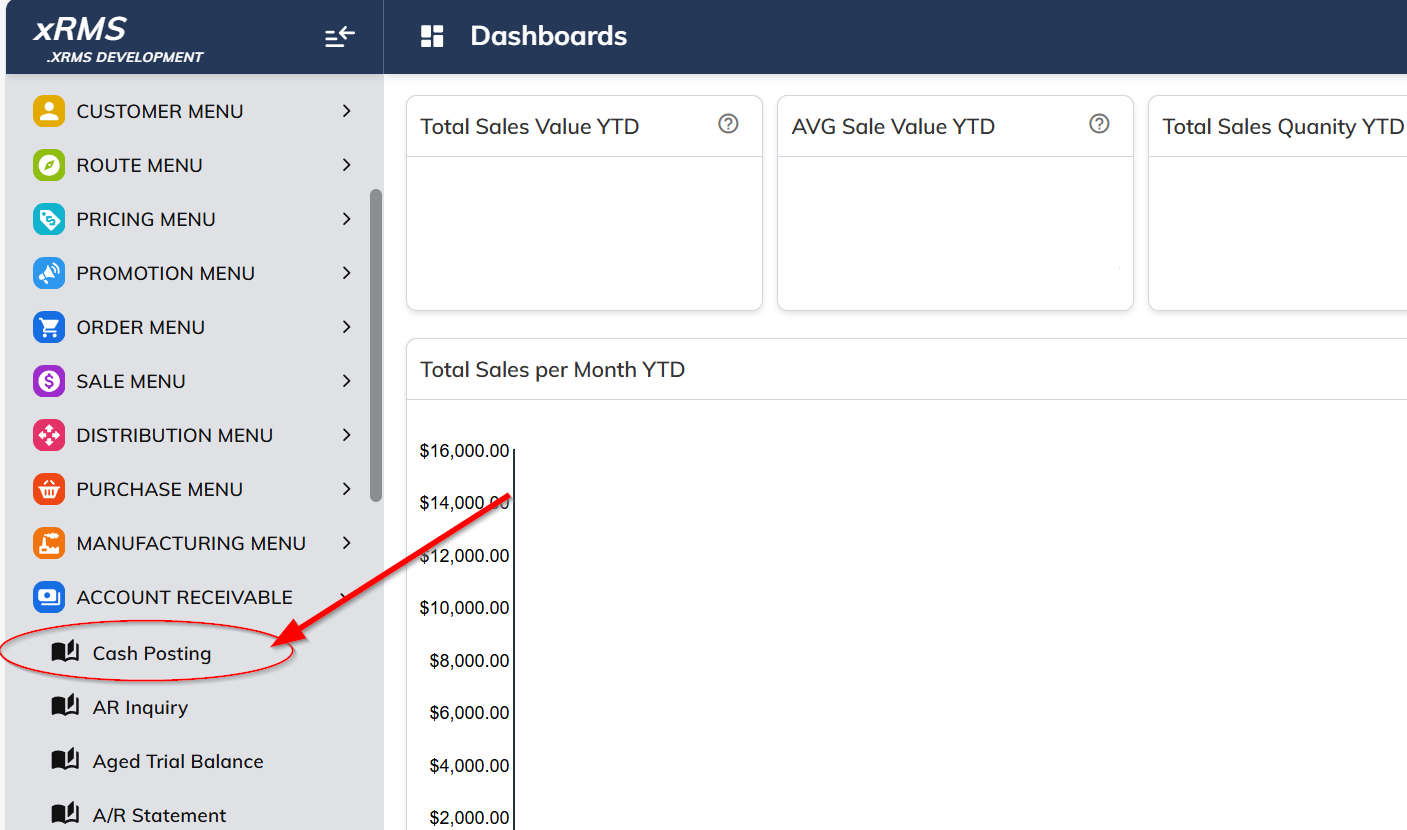
Select the Cash Posting link under the Accounts Receivable menu option.
Select the Customer.
Select the Invoice button on the top right of the screen.
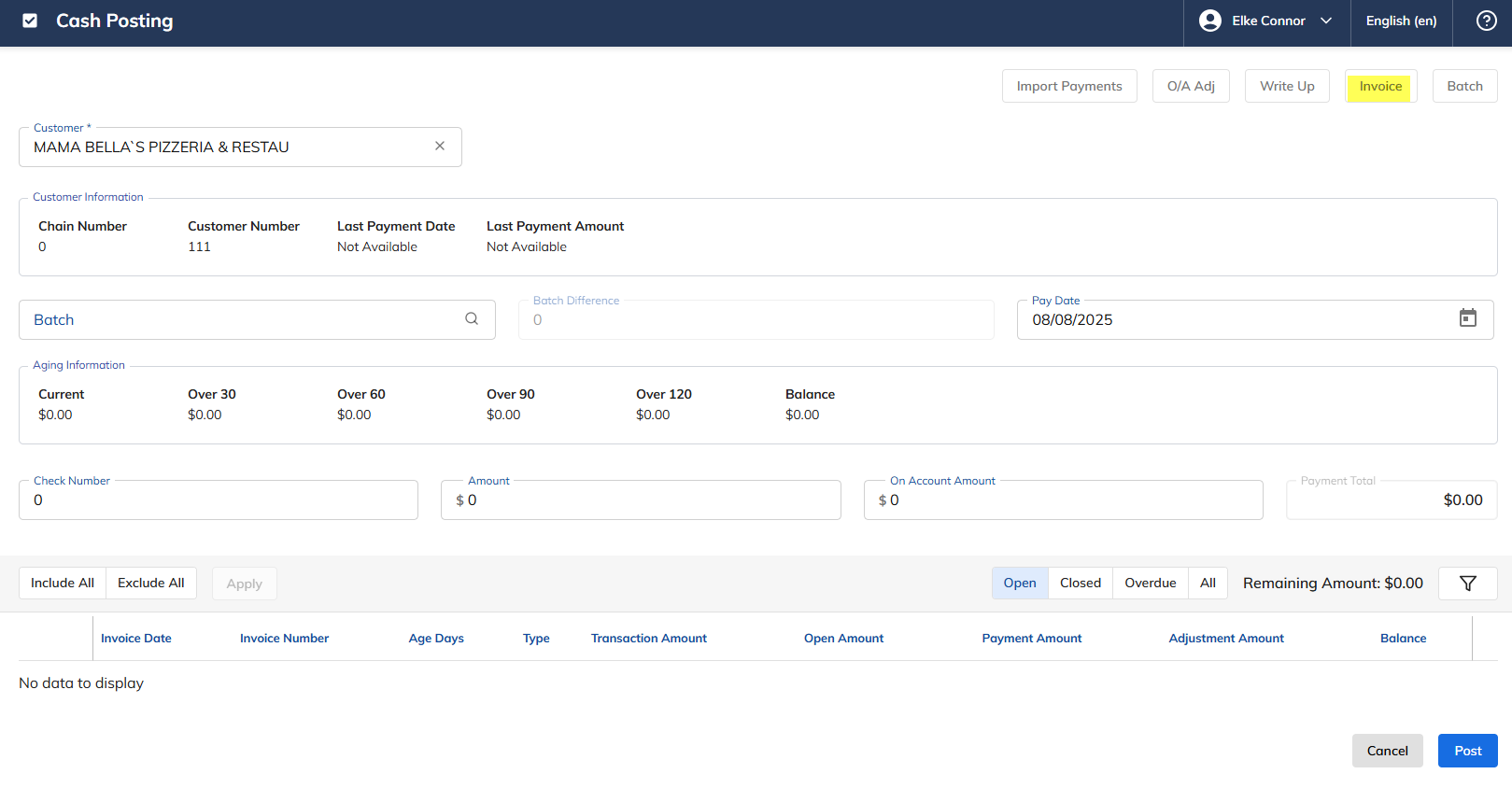
The following page will appear.
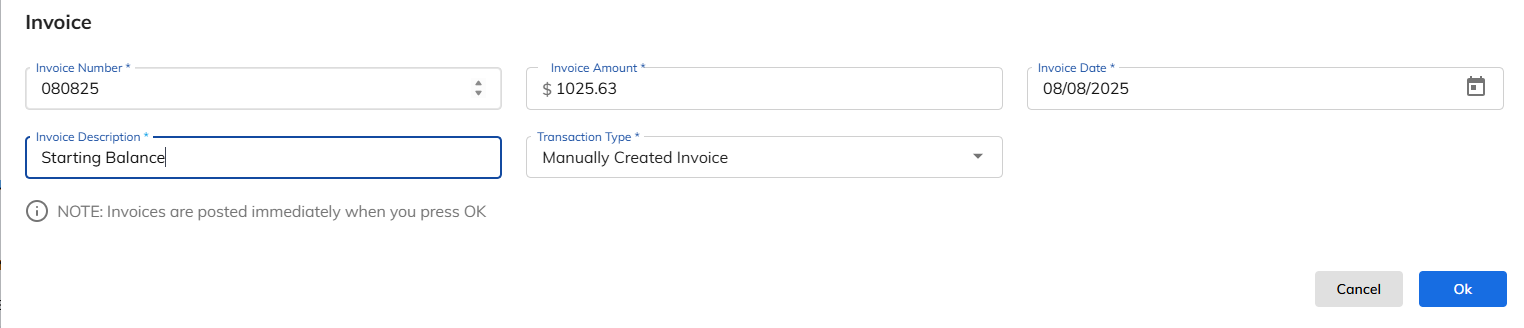
Enter the Invoice Number. In this example, 080825 is used to note the starting balance for 8/8/2025.
Enter the Invoice Amount.
Enter the Invoice Date.
Enter the Invoice Description.
Manually Created Invoice is the Transaction Type.
Press Ok.
Once Ok is pressed, you will see the Manually Created Invoice as follows.