
Cash Posting - On Account Payment
Cash Posting in xRMS allows you to record an On Account payment, crediting a customer's account so the money is available to be applied to an open invoice later. This article walks through selecting the customer, entering the check and on account amounts, and posting the credit.
Crediting the Account
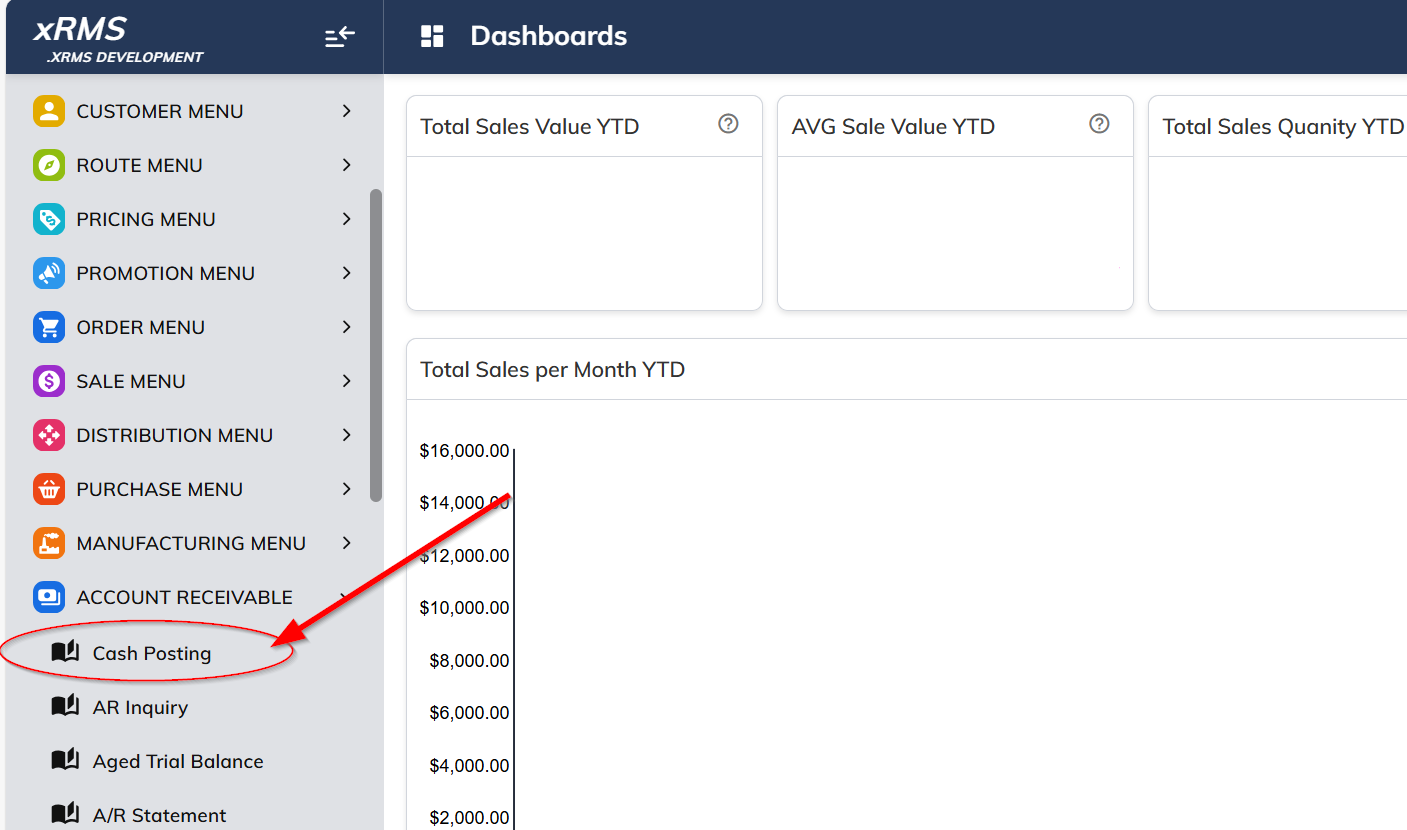
Select the Cash Posting link under the Accounts Receivable menu option.
Enter the Customer and Chain Number to post the account to.
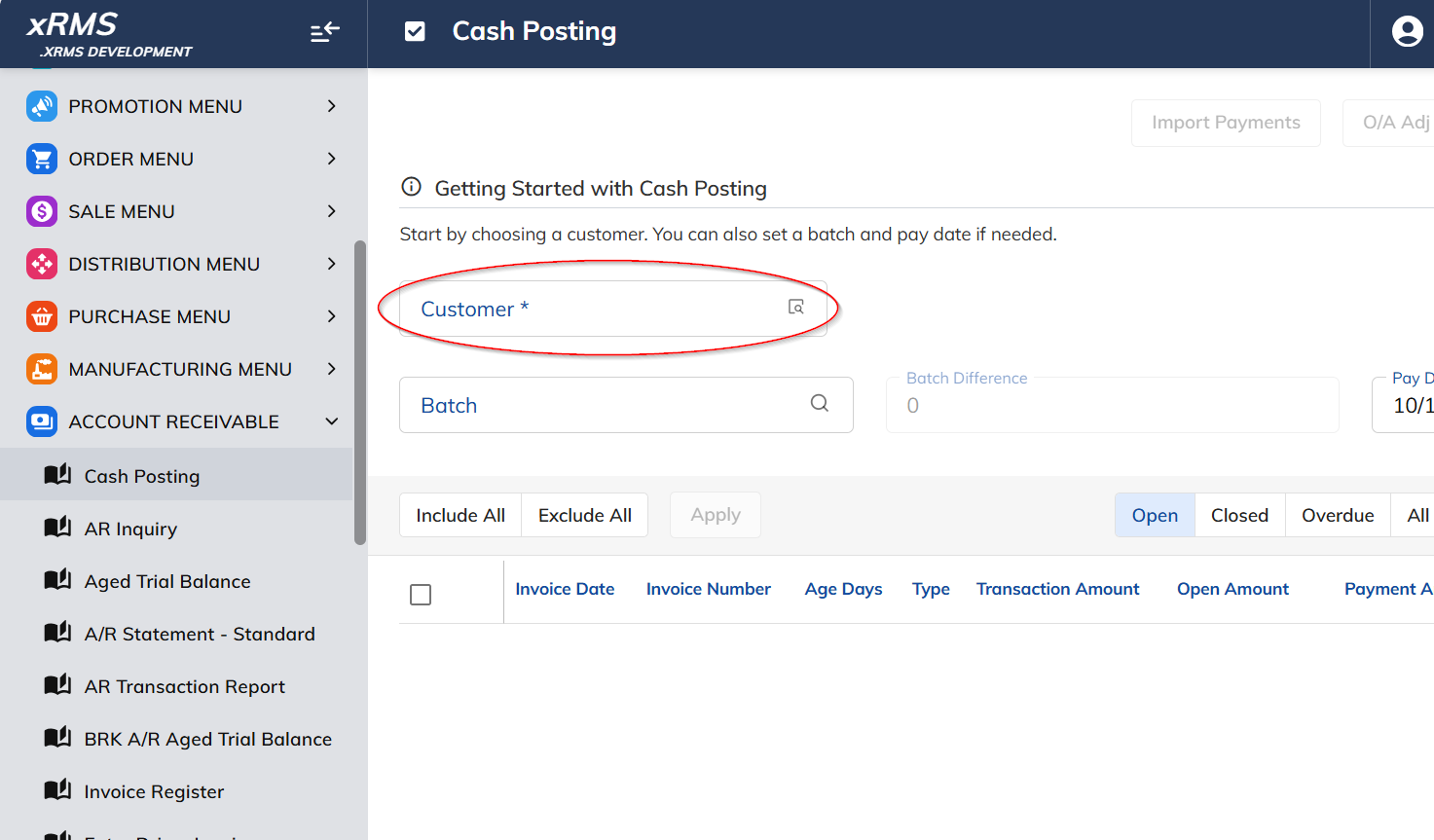
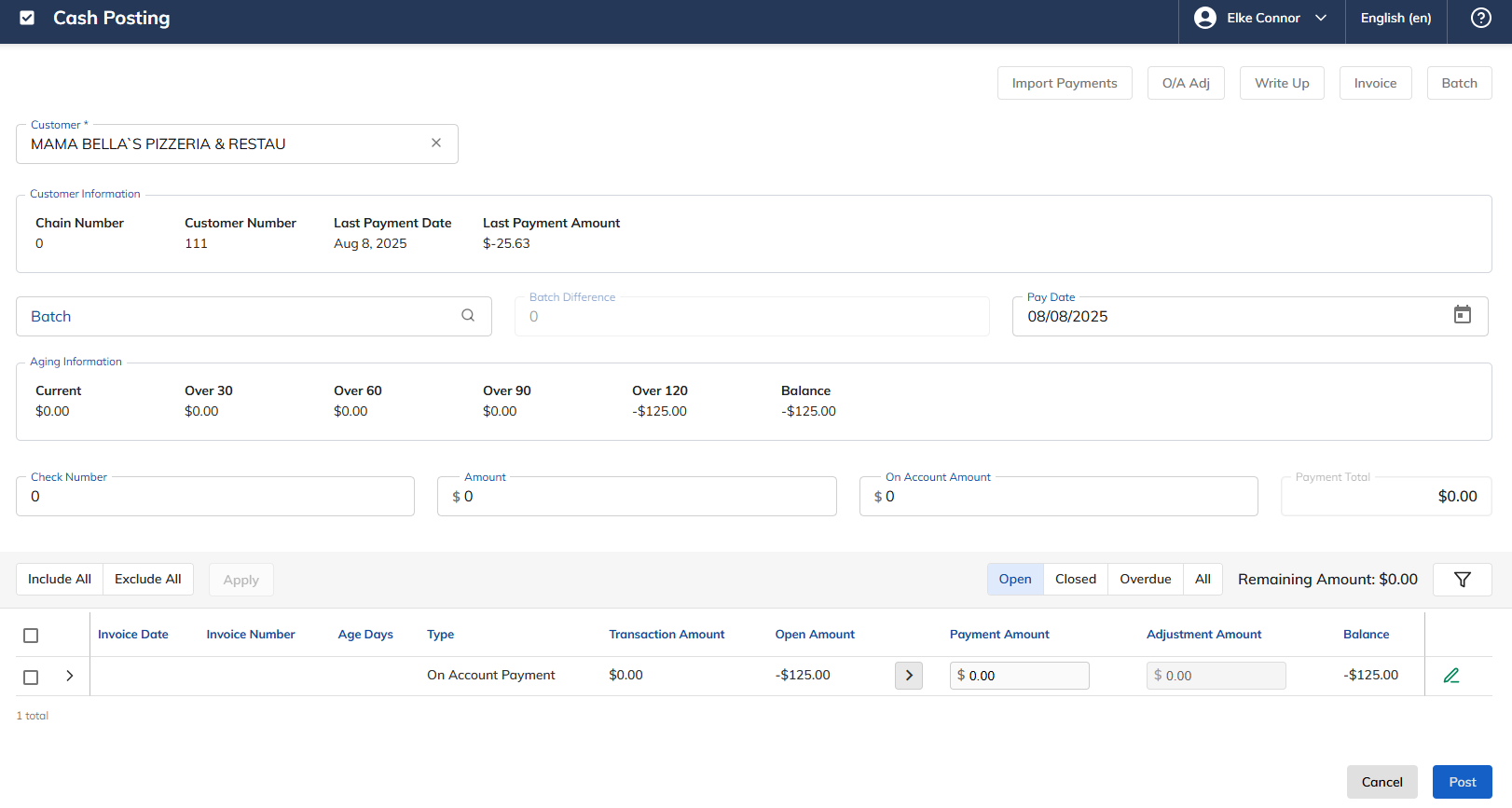
The following screen will appear:
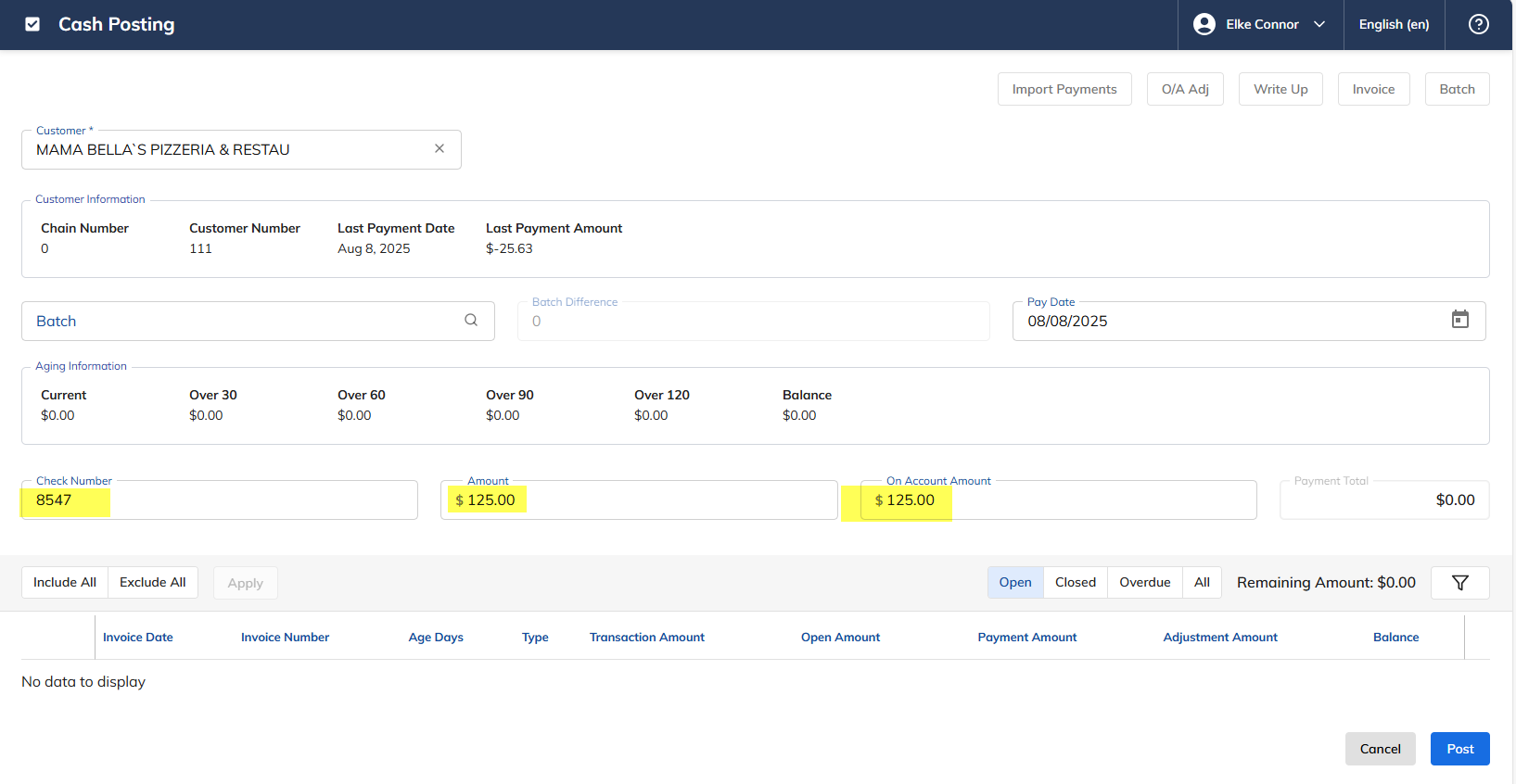
Enter the Check Number.
Enter the Amount.
Enter the On Account Amount.
Click Post.
The message below will appear. Click OK.
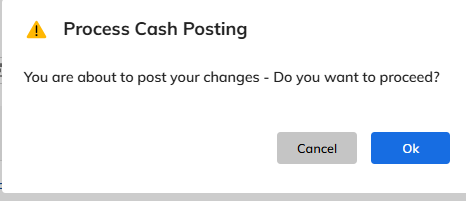
The money now appears as a credit to the account, waiting to be applied to an open invoice.